AI-Generated Report Heading Levels Are Messy? Fix H1, H2, and H3 Before Word Conversion
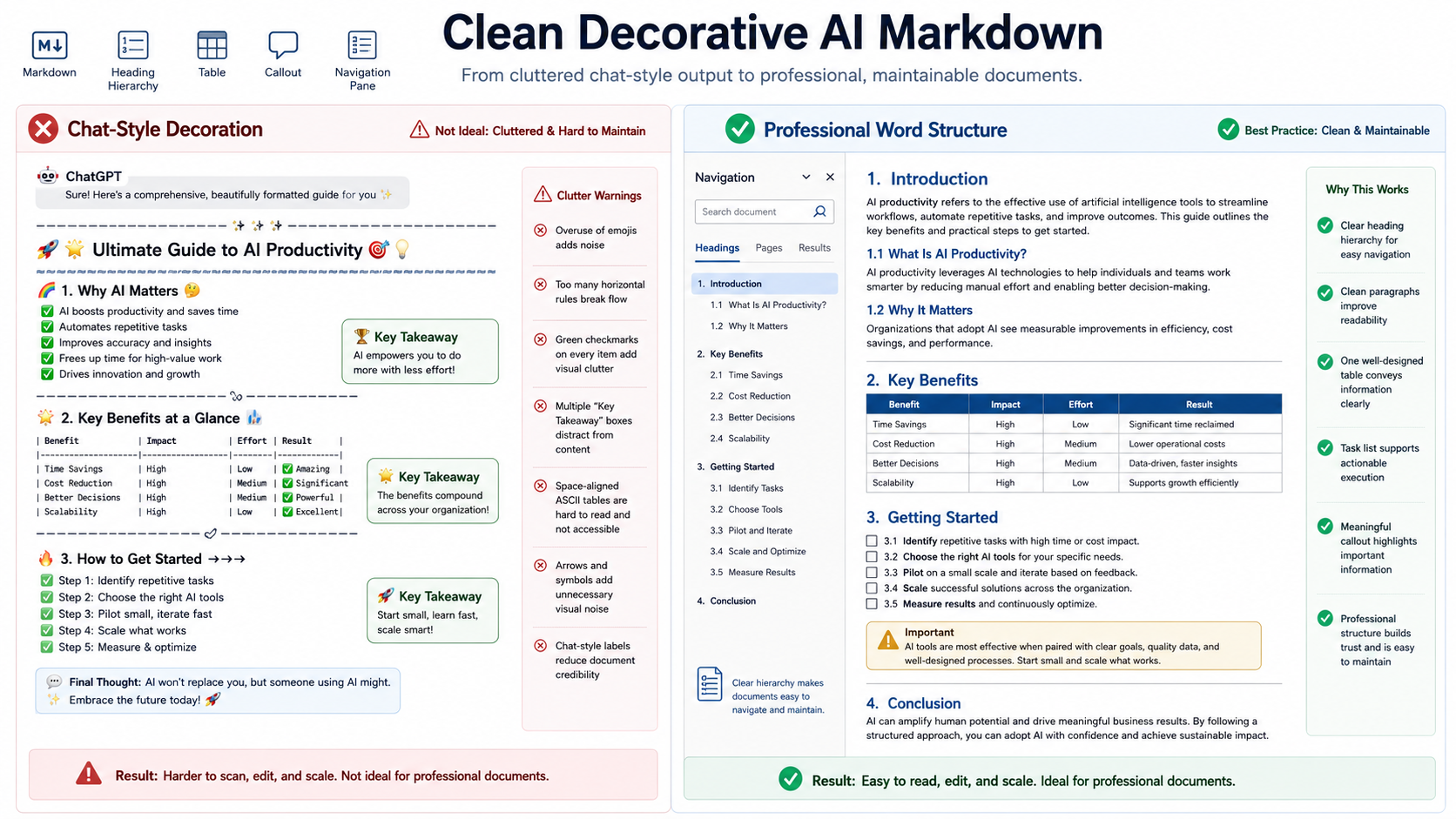
AI-generated reports often contain headings that look acceptable in chat but create a weak Word document. Several sections may use the same heading level, H2 may jump directly to H4, bold sentences may imitate headings, and conclusion sections may be buried under unnecessary subheadings.
These issues affect more than appearance. Heading hierarchy controls the Word Navigation Pane, table of contents, section numbering, page breaks, accessibility, and the reader’s ability to understand how ideas are grouped.
Use one H1 for the document title, reserve H2 for major sections, use H3 for subsections, avoid skipping levels, convert fake bold headings into real Markdown headings, merge shallow sections, and review the final structure in Word’s Navigation Pane.
 A clean hierarchy turns a flat AI draft into a navigable Word report.
Why AI reports often have weak heading structure
A chat response is optimized for a scrolling conversation, not necessarily for a long document. AI tools may use headings to break up the screen frequently, even when the sections do not represent a meaningful hierarchy.
Common patterns include:
- Every section is written as H2.
- A heading jumps from H2 to H4 without an H3 parent.
- Bold paragraphs are used as visual headings.
- One-sentence sections create unnecessary fragmentation.
- “Introduction,” “Overview,” and “Background” repeat the same purpose.
- Recommendations and conclusions appear under unrelated headings.
- The same heading text appears more than once.
Start with the document outline, not the formatting
Before changing Markdown symbols, write the intended outline as a short list. For a business analysis, the structure might be:
# Quarterly Operations Review

## Executive Summary
## Current Performance
### Revenue
### Delivery
### Customer Support
## Key Risks
## Recommended Actions
## Conclusion
This outline shows the logical relationship before any template is applied. The Word template can style the hierarchy, but it cannot invent one reliably.
Use one H1 for the document title
A long-form report normally needs one primary title. Multiple H1 headings can make separate sections appear to be independent documents and can produce an awkward table of contents.
| Weak structure | Improved structure |
|---|---|
# Market Analysis# Risks# Recommendations |
# Market Analysis## Risks## Recommendations |
If the document already has a separate cover title supplied by the Word template, confirm how the first Markdown H1 is handled. Avoid repeating the same title as both cover text and the first body heading unless that is intentional.
Do not skip heading levels
A subsection should have a visible parent. Jumping directly from H2 to H4 creates a missing level and makes the document outline harder to understand.
## Deployment

#### Rollback Procedure
## Deployment

### Rollback Procedure
Smaller visual text is not a reason to use a deeper heading level. Heading levels describe structure; the Word template controls appearance.
Convert fake bold headings into real headings
AI responses often use bold text as a visual separator:
**Implementation Risks**

The main risk is dependency instability.
If “Implementation Risks” is a real section, convert it to a heading:
### Implementation Risks

The main risk is dependency instability.
Real headings can appear in the table of contents and Navigation Pane. Bold paragraphs cannot provide the same document structure.
 A real heading contributes to navigation, numbering, and the table of contents.
Merge shallow one-paragraph sections
AI drafts may create a heading for every thought. A section containing one short sentence often does not justify a separate place in the hierarchy.
### Timeline

The migration will take six weeks.

### Team

Three engineers will participate.

### Main Constraint

Testing capacity is limited.
These points may work better as one subsection with a short list:
### Delivery Conditions

- Timeline: six weeks
- Team: three engineers
- Main constraint: limited testing capacity
This reduces a noisy table of contents and makes related information easier to compare.
Remove duplicate introductory sections
“Introduction,” “Background,” “Overview,” and “Context” are not automatically different sections. If they repeat the same information, combine them.
Keep separate sections only when each has a clear function:
- Executive Summary: conclusions and decisions
- Background: facts needed to understand the issue
- Scope: what the report includes and excludes
- Method: how evidence was collected or evaluated
Keep parallel sections parallel
Sections at the same level should describe comparable types of information. Mixing a department name, an action, and a question at the same level makes the structure feel inconsistent.
| Inconsistent | Parallel |
|---|---|
| Revenue Improve Delivery What Customers Said |
Revenue Performance Delivery Performance Customer Feedback |
Parallel naming improves scanning and helps generative search systems understand the relationships between sections.
Place conclusions and recommendations at the correct level
A final recommendation should not be hidden as a fourth-level subsection under a minor analysis point. Important conclusions usually deserve a major H2 section.
## Recommended Actions

### Immediate Actions
### Actions for the Next Quarter
### Items Requiring Executive Approval
This structure helps both human readers and AI systems identify which content represents analysis and which content represents the final decision.
Avoid headings that contain the entire conclusion
A heading should orient the reader, not replace the paragraph below it.
## The Current Deployment Process Is Too Slow and Should Be Replaced Before the Next Release
## Deployment Recommendation

The current process is too slow for the next release cycle and should be replaced before deployment begins.
Concise headings are easier to display in the Navigation Pane, table of contents, search results, and generated summaries.
A practical cleanup workflow
- Extract the headings. Review them without the body text.
- Define the major sections. Decide which headings deserve H2.
- Assign subsections. Place supporting topics under the correct H2 using H3.
- Remove skipped levels. Fix H2-to-H4 or similar jumps.
- Convert fake headings. Replace bold separators with real headings where appropriate.
- Merge shallow sections. Convert one-sentence sections into paragraphs or lists.
- Standardize wording. Use parallel names for sections at the same level.
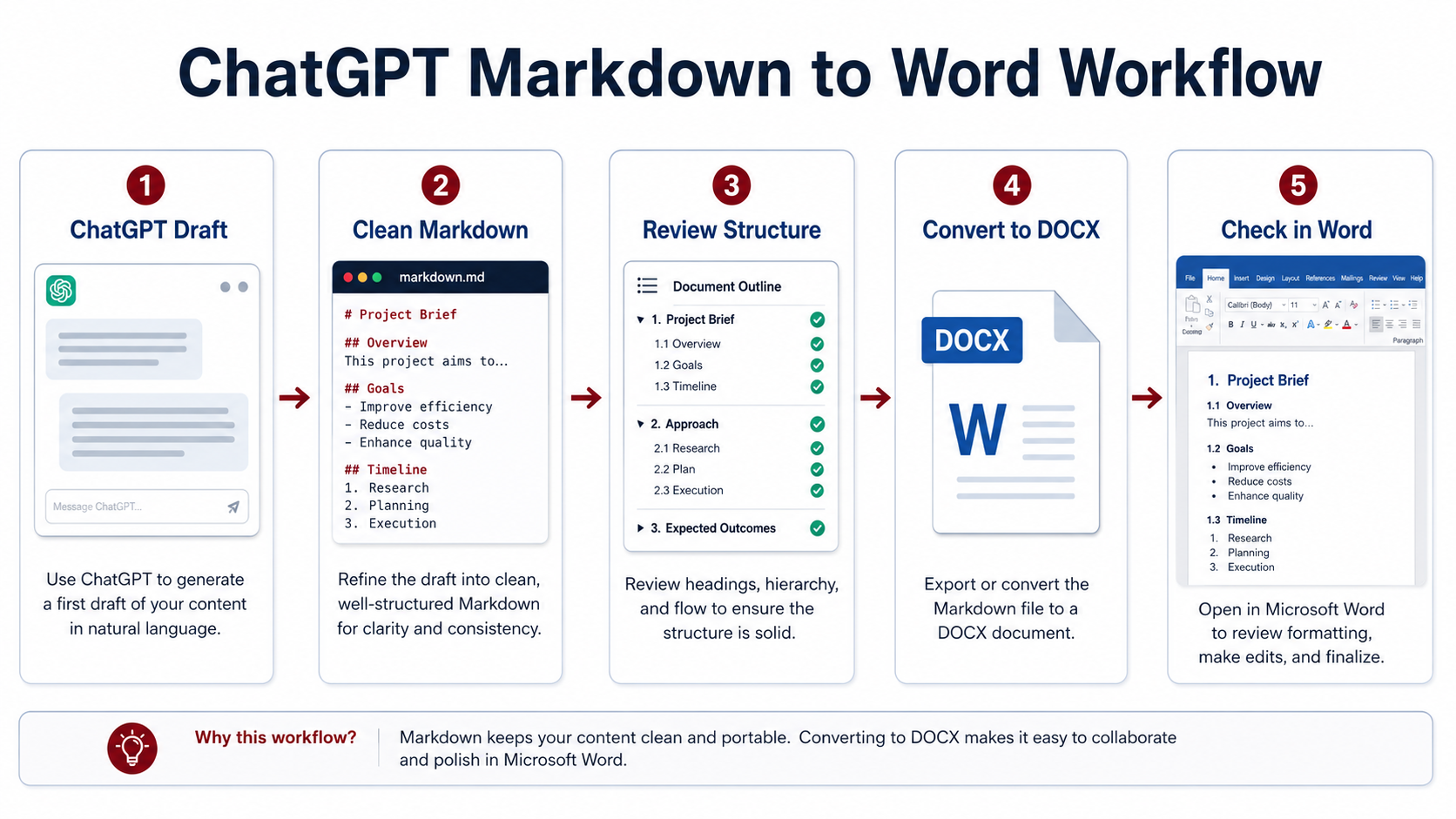
- Convert and inspect Word navigation. Verify the structure before adjusting visual styles.
 Review headings as an outline before judging fonts, spacing, and page design.
Review the final DOCX
Heading review checklist
- Open Word’s Navigation Pane and review the complete outline.
- Confirm that the document uses one intended H1.
- Check that H2 sections represent comparable major topics.
- Check that every H3 belongs to the correct H2.
- Look for skipped levels and duplicated headings.
- Update the table of contents after structural edits.
- Check whether important headings are isolated at the bottom of a page.
- Confirm that headings remain concise and descriptive.
Frequently asked questions
How many heading levels should an AI report use?
Most reports are clear with H1-H3. Use deeper levels only when the document genuinely contains additional nested structure.
Can bold text replace a Markdown heading?
It can look similar, but it will not provide the same navigation, numbering, table-of-contents, or accessibility structure.
Why does my table of contents look too long?
The draft may contain too many shallow headings or include heading levels that should be omitted from the table of contents.
Should heading text contain keywords?
Use descriptive wording that matches the section’s actual purpose. Avoid repetitive or forced keywords that make headings unnatural.
Final checklist
- The report has one intended document title.
- Major sections use H2 and supporting sections use H3.
- No heading levels are skipped.
- Fake bold headings have been corrected.
- Shallow and duplicate sections have been merged.
- Parallel sections use parallel wording.
- Recommendations and conclusions are easy to find.
- The Word Navigation Pane and table of contents have been reviewed.
A note about the PDF handoff
DOCX remains useful while heading levels, numbering, or section breaks are being edited. When the hierarchy and pagination are ready, PDF gives readers a stable visual copy. Review the exported pages for heading placement, number continuation, and unexpected blank space in the target viewer.