AI-Generated Markdown Looks Too Decorative? Clean Emojis, Separators, and Fake Tables Before Word Conversion
AI-generated Markdown often contains decorative elements that work in a chat window but weaken a professional Word document. Emoji headings, repeated horizontal rules, checkmark-heavy lists, pseudo-tables made from spaces, “Key Takeaway” boxes in every section, and copied interface labels can make the final DOCX look inconsistent or overly promotional.
The goal is not to remove all emphasis. It is to distinguish semantic structure from screen decoration before conversion. Word templates can style real headings, lists, tables, quotations, and callouts consistently, but they cannot reliably repair decorative text that only imitates those elements.
Remove repeated separators, replace emoji headings with real Markdown headings, convert space-aligned text into actual tables, keep only meaningful callouts, replace decorative checkmarks with ordinary lists or task lists, and review the final Word document for duplicate emphasis and inconsistent symbols.
 Semantic Markdown produces a more consistent Word document than screen-oriented decoration.
Why chat-friendly formatting becomes noisy in Word
Chat interfaces use a long scrolling canvas. Decorative markers help separate short responses on screen. Word documents are read as pages with margins, paragraph spacing, heading styles, navigation, and print constraints. Repeating the same visual markers can create excessive whitespace and competing emphasis.
Common examples include:
- Emoji at the beginning of every heading
- Horizontal rules between every section
- Several “Important,” “Tip,” and “Key Takeaway” boxes on one page
- Checkmarks used for ordinary bullet points
- Columns simulated with spaces or tab characters
- Repeated labels such as “Answer,” “Explanation,” and “Summary”
- Decorative arrows and Unicode borders copied from chat output
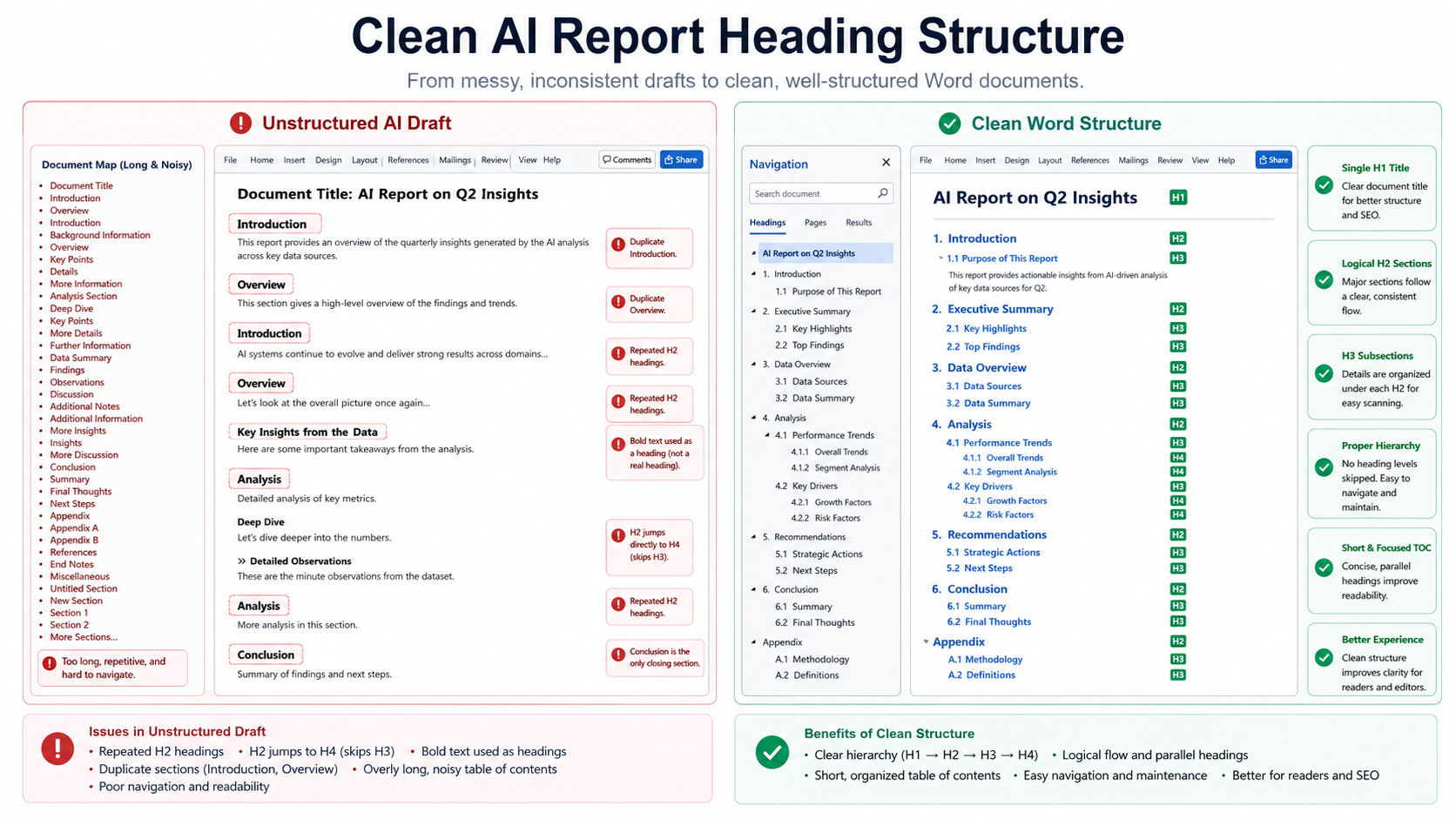
Replace emoji headings with real headings
An emoji can support tone, but it should not carry the structural meaning of a heading.
🚀 Implementation Plan

✅ Phase One

⚠️ Main Risks
## Implementation Plan

### Phase One

## Main Risks
The second version creates a usable hierarchy for Word’s Navigation Pane and table of contents. An occasional emoji can remain in informal content, but it should not replace Markdown heading syntax.
Remove repeated horizontal rules
A horizontal rule can mark a meaningful transition, but using one between every heading and paragraph duplicates spacing already provided by the Word template.
## Findings

---

The pilot reduced processing time.

---

## Risks

---

Support demand may increase.
In most reports, headings and paragraph spacing already provide enough separation. Keep a rule only when it represents a real division, such as separating front matter from the main document.
Convert pseudo-tables into real Markdown tables
AI output may align text with spaces because it looks correct in a monospace chat block. Word uses proportional fonts and different tab settings, so the columns can collapse.
Metric          Current      Target
Conversion      82%          95%
Rework          31%          <10%
| Metric | Current | Target |
| --- | ---: | ---: |
| Conversion | 82% | 95% |
| Rework | 31% | <10% |
A real table becomes editable Word table content and can use template borders, header styling, cell padding, and numeric alignment.
 Real table syntax preserves columns more reliably than spaces and tabs.
Use checkmarks according to meaning
A checkmark can mean completed, approved, recommended, or simply decorative. Mixing these meanings makes the document ambiguous.
| Intended meaning | Better structure |
|---|---|
| Completed task | Markdown task list: - [x] |
| Ordinary point | Standard bullet list |
| Approved result | Status table or explicit sentence |
| Recommendation | Recommendation heading or callout |
Do not use green checkmarks for every positive statement. Their visual weight can make routine content look like a verified result.
Keep only meaningful callouts
Callouts are useful when they identify a specific content type, such as a warning, note, important constraint, or decision. They become ineffective when every section contains one.
Keep a callout when it contains:
- A safety or compliance warning
- A limitation that changes how the result should be interpreted
- A required action before the next step
- A decision threshold or approval condition
- A concise note that would be missed in ordinary prose
If every paragraph is highlighted, readers cannot tell which message is genuinely important.
Remove copied interface labels and conversational filler
When AI output is copied from a chat interface, the content may include labels and conversational phrases that do not belong in a report.
| Remove or rewrite | Reason |
|---|---|
| “Here is the report you requested” | Conversation wrapper, not report content |
| “Certainly!” or “Great question” | Chat tone |
| “Copy code” or interface labels | Not part of the source document |
| Repeated “In summary” paragraphs | Creates duplicated conclusions |
Replace Unicode boxes and arrows with supported structures
Text diagrams made from box-drawing characters may misalign when fonts change.
┌──────────┐     ┌──────────┐
│  Input   │ ──▶ │  Output  │
└──────────┘     └──────────┘
Choose the structure according to purpose:
- Use Mermaid for a real workflow or architecture diagram.
- Use a table for aligned text and values.
- Use a numbered list for sequential instructions.
- Keep ASCII diagrams inside code blocks only when literal alignment is required.
Avoid duplicated emphasis from Markdown and the Word template
A heading may already be bold, larger, colored, and separated by spacing in the selected template. Adding bold, emoji, uppercase text, and a horizontal rule to the same heading creates several layers of emphasis.
---

## 🚨 **CRITICAL RISKS**

---
## Critical Risks
Let the template style the heading. Add a warning callout below it only when a specific warning requires extra emphasis.
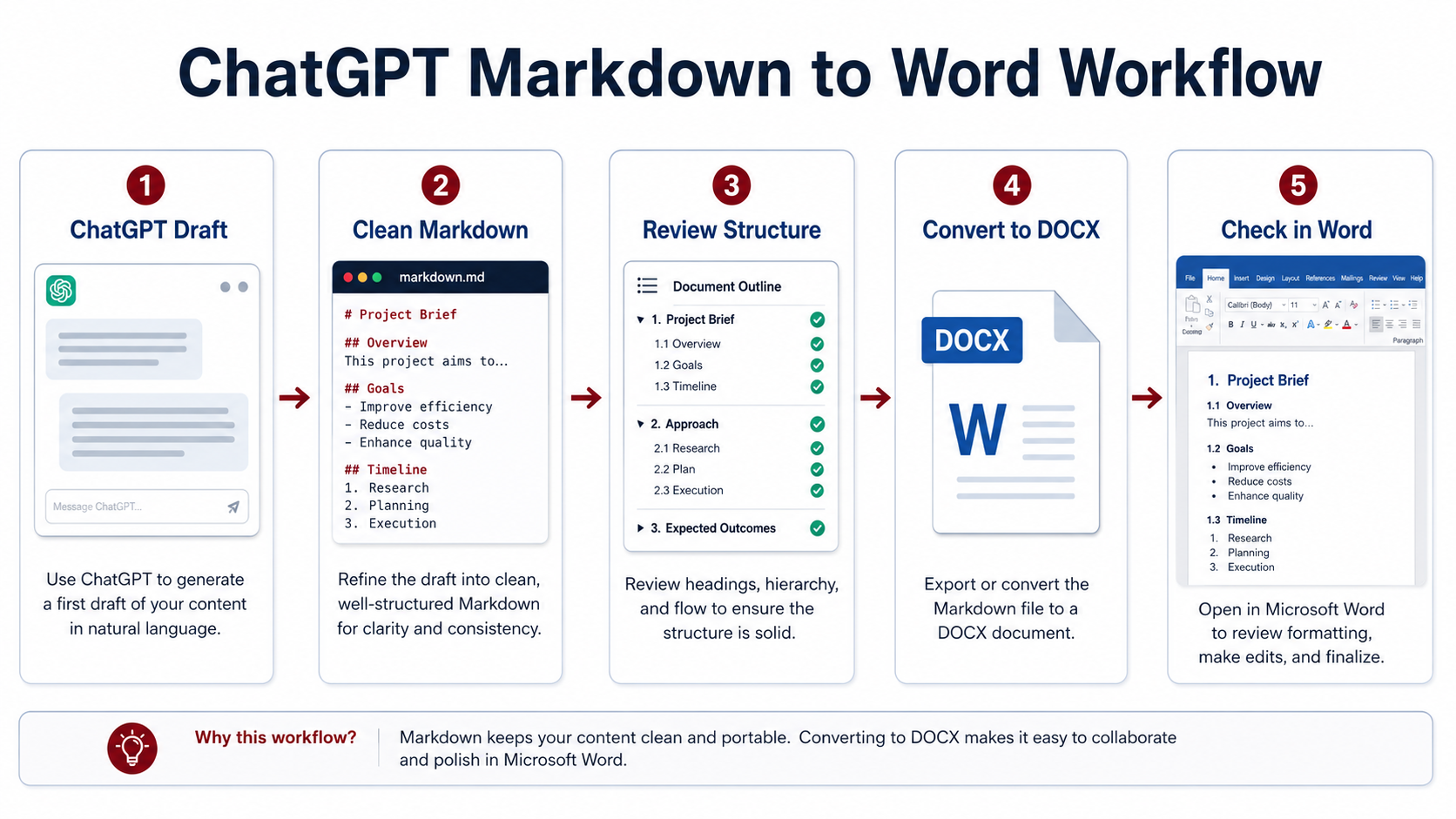
A practical cleanup workflow
- Extract the document structure. Identify real headings, lists, tables, callouts, and diagrams.
- Remove chat wrappers. Delete greetings, interface labels, and repeated summary phrases.
- Normalize headings. Replace emoji-only or bold-only separators with H1-H3 headings.
- Convert simulated layout. Replace space-aligned columns and Unicode boxes with supported structures.
- Reduce decorative repetition. Remove unnecessary rules, arrows, and symbols.
- Review callouts and status markers. Keep them only when their meaning is explicit.
- Convert a representative sample. Check how the selected Word template adds its own emphasis.
- Inspect the final DOCX. Review navigation, spacing, symbols, tables, and print appearance.
 Convert visual decoration into semantic document structures before applying a Word template.
Review the final DOCX
AI formatting review checklist
- Headings appear correctly in Word’s Navigation Pane.
- No interface labels or chat-introduction phrases remain.
- Tables use real rows and columns rather than spaces.
- Emoji and symbols have a clear purpose.
- Horizontal rules are used sparingly.
- Callouts represent distinct notes, warnings, or decisions.
- The template does not duplicate bold, color, and separator emphasis.
- The document remains readable in print preview and Word or WPS.
Frequently asked questions
Should all emoji be removed from AI-generated documents?
No. Keep them when they suit the audience and have a clear meaning. Remove repetitive emoji that replace headings, bullets, status, or structure.
Why do space-aligned columns break in Word?
Word may use proportional fonts and different tab stops. Use a real Markdown table when the content represents rows and columns.
Can a Word template automatically remove decorative AI formatting?
Not reliably. A template styles recognized document elements; decorative characters and conversational text should be cleaned in the source.
How many callouts should a report contain?
There is no fixed number. Use them only for information that genuinely needs a distinct semantic and visual treatment.
Final checklist
- Chat wrappers and interface text have been removed.
- Real headings replace decorative heading lines.
- Space-aligned content has been converted to tables or lists.
- Checkmarks and status symbols have unambiguous meaning.
- Callouts are limited to important content types.
- Unicode diagrams use an appropriate supported structure.
- Markdown emphasis does not duplicate template styling.
- The final DOCX is consistent, navigable, and printable.
Choosing between an editable and fixed copy
The cleaned Markdown can produce either an editable DOCX or a fixed-layout PDF. Keep DOCX for another editing pass; choose PDF when the restrained layout is ready to share. Check headings, entries, spacing, and page breaks in the final file because a fixed format does not repair crowded source content.