Academic Word Template
A Word template for research writing, formulas, references, footnotes, tables, and long-form documents.
Word template system
Four templates for different types of documents
Each template is tuned for typography, spacing, headings, captions, code blocks, table layout, and long-form document structure.
Template details
How each template turns Markdown into a deliverable Word document
Templates are not just colors. They decide the reading rhythm, table density, caption style, code presentation, and whether the document feels like a memo, a paper, a client report, or technical documentation.
Clean Office
A balanced Word style for everyday documents, meeting notes, AI drafts, internal summaries, SOPs, checklists, and lightweight reports.
- Meeting notes and SOPs
- AI-generated outlines
- Internal knowledge docs
- Headings
- Lists
- Callouts
- Tables
- Images
- Definition lists
- Page breaks
- Signatures
- Readable heading rhythm
- Compact tables and lists
- General office spacing
- Compact headers, page numbers, and office tables
Best for notes, outlines, checklists, callouts, short reports, and mixed Chinese-English business writing.
Academic
A formal long-document template for research notes, literature reviews, formulas, footnotes, references, tables, block quotes, and structured drafts.
- Literature reviews
- Course papers
- Research reports
- Math formulas
- Footnotes
- References
- Quotes
- Tables
- Abstract and keywords
- Equation numbering
- Cross-references
- Glossary and index
- Long-form hierarchy
- Formula-friendly spacing
- Footnote and reference flow
- Serif typography, abstract, equation, and bibliography styles
Best for papers, course reports, research memos, formulas, footnotes, references, and long structured documents.
Business Report
A report template for executive summaries, KPI tables, timelines, SWOT analysis, risk matrices, decisions, charts, and customer documents.
- Quarterly business reports
- Market research summaries
- Project delivery documents
- KPI
- Timeline
- Risk matrix
- SWOT
- Decision record
- Executive summary
- Landscape sections
- Approval area
- Executive summary layout
- KPI and risk sections
- Review and approval sections
- Executive cover, landscape analysis, signature, and approval sections
Best for consulting reports, market analysis, project reviews, KPI dashboards, strategy notes, and customer-facing documents.
Technical Documentation
A structured documentation template for API blocks, code examples, command snippets, config blocks, file trees, Mermaid diagrams, release notes, and implementation notes.
- API documentation
- Implementation plans
- Engineering handoff docs
- API
- Code blocks
- Commands
- Config
- File tree
- Mermaid
- Diff
- Terminal and logs
- Filenames and line numbers
- Version records
- Code-first layout
- Diagram and file tree support
- Precise technical blocks
- Monospace metadata, line numbers, change logs, and dense specifications
Best for API docs, README files, technical specs, implementation plans, release notes, and engineering handoff documents.
Quality standard
What remains editable and what to review
DocuCraftBox keeps supported content editable in Word whenever possible. Fonts, page breaks, and spacing can still vary between Word, WPS, operating systems, and installed fonts.
What stays editable
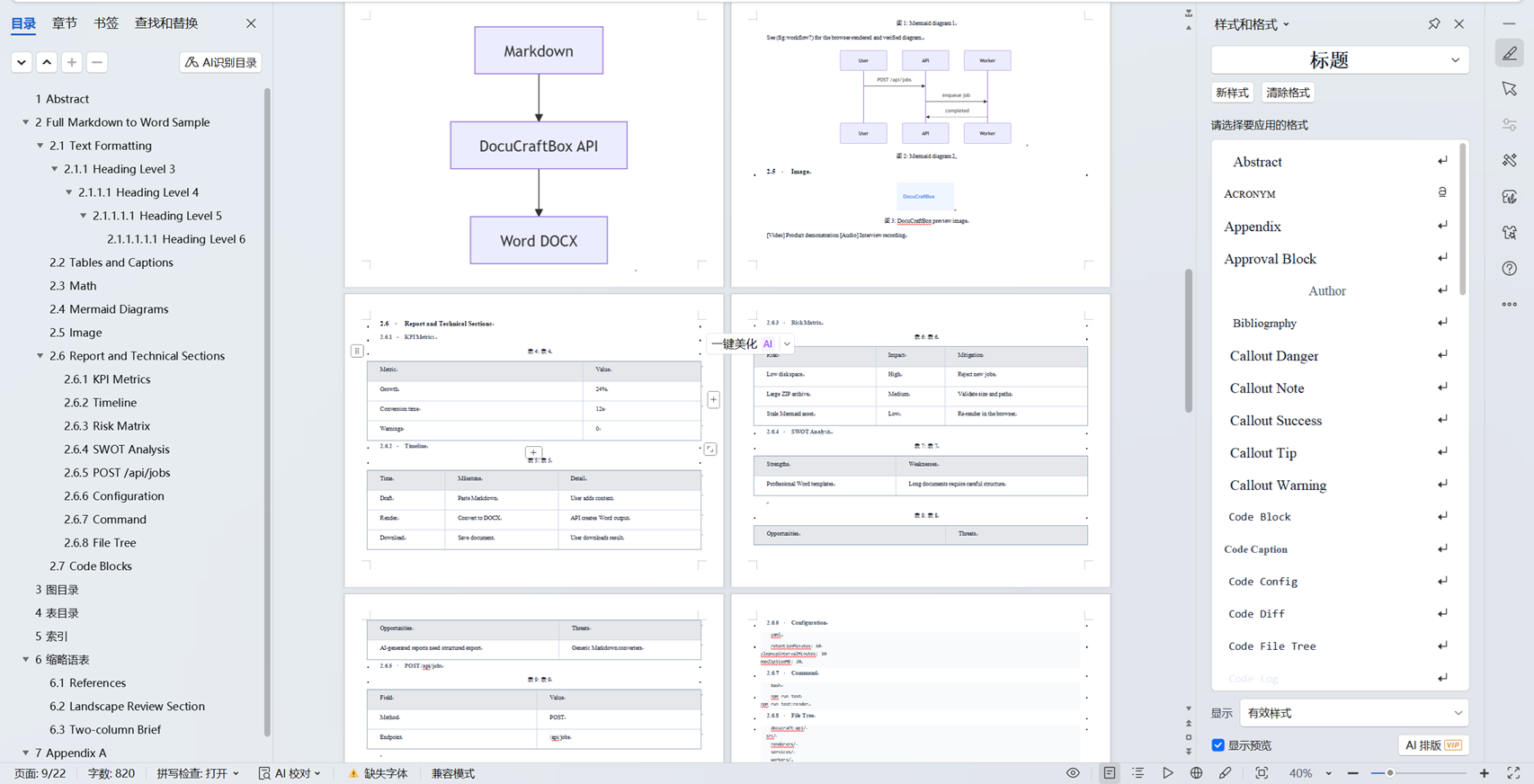
Headings, paragraphs, lists, tables, footnotes, citations, references, and most formulas remain editable Word content. Mermaid diagrams and ordinary images are embedded as pictures.
What happens to uploaded files
File size and ZIP contents are checked before conversion. Files are used only for the conversion, stored separately from other uploads, and removed automatically after the retention period.
What to check before delivery
Check facts, citations, long formulas, wide or nested tables, page breaks, diagram labels, image permissions, and the final appearance in the Word or WPS version used by the recipient.
Supported document elements
More than basic Markdown to Word
See which headings, tables, formulas, diagrams, references, code, and page-layout features can be written into the Word document.
Complete text hierarchy
H1-H6, paragraphs, emphasis, links, highlight, superscript, subscript, keyboard keys, definition lists, nested quotes, and multilevel lists remain structured.
TOC, generated lists, and navigation
Create a table of contents, page breaks, numbered headings, figure and table lists, an index, glossary, acronym list, appendices, and cross-references.
Professional editable tables
Pipe, simple, multiline, and grid tables become native Word tables with captions, spans, header styling, numeric alignment, widths, and wide-table handling.
Images, media, and captions
Control image size, alignment, floating, and text wrapping; add localized captions and cross-references. Video and audio links degrade to labelled document links.
Math formulas
Inline and display math support matrices, cases, aligned equations, integrals, limits, sums, products, custom macros, numbering, captions, and equation references.
Mermaid diagrams
Mermaid code is converted into a proportionally sized diagram and can include a localized caption and cross-reference.
Code and technical output
Code can include language labels, filenames, and line numbers. Diff, log, terminal, command, API, config, and file-tree blocks use their own Word styles.
Callouts and notes
NOTE, TIP, WARNING, IMPORTANT, CAUTION, INFO, SUCCESS, and ERROR callouts become readable Word note blocks.
Business analysis blocks
Executive summaries, KPI tables, timelines, risk matrices, SWOT analysis, pros and cons, and decision records are supported.
Citations and references
Footnotes, [@key] citations, BibTeX, CSL JSON, quote blocks, and bibliographies can use APA, MLA, or GB/T 7714 formatting.
Cover and front matter
YAML metadata can create title, subtitle, author, date, abstract, keywords, and a cover structure suited to each Word template.
Professional page layout
Headers, footers, page numbers, optional watermarking, section breaks, landscape pages, two- or three-column sections, and orphan control support long documents.
Delivery and approval sections
Appendices, signatures, approvals, metadata, executive summaries, abstracts, and decision records turn drafts into review-ready deliverables.
Create a professional Word document from Markdown
Convert templates, callouts, formulas, tables, diagrams, captions, KPI sections, timelines, and technical content into one editable DOCX.
Start Converting