
Recommended document structure
- A clear title followed by short, readable sections.
- Compact lists, task items, callouts, and practical tables.
- Moderate paragraph spacing for mixed Chinese and English office writing.
A balanced Word template for meeting notes, SOPs, checklists, internal summaries, and concise office documents.
Focused template guide
Clean Office keeps routine documents direct and easy to scan. It is designed for meeting notes, internal summaries, SOPs, checklists, and short reports where a formal academic or client-report structure would add unnecessary weight.
Turn an AI-written meeting summary into a document with decisions, owners, due dates, a compact action table, and a short follow-up checklist.
Choose this template when the document should feel practical and neutral. Move to Academic for formal research, Business Report for decision-making and delivery, or Technical Documentation for code-first material.
Compare all four Word templatesVerified DOCX output
This screenshot shows the Clean Office template applied to a non-sensitive acceptance document and inspected in WPS Office Desktop. It is evidence of this template only, not a comparison of all four styles.
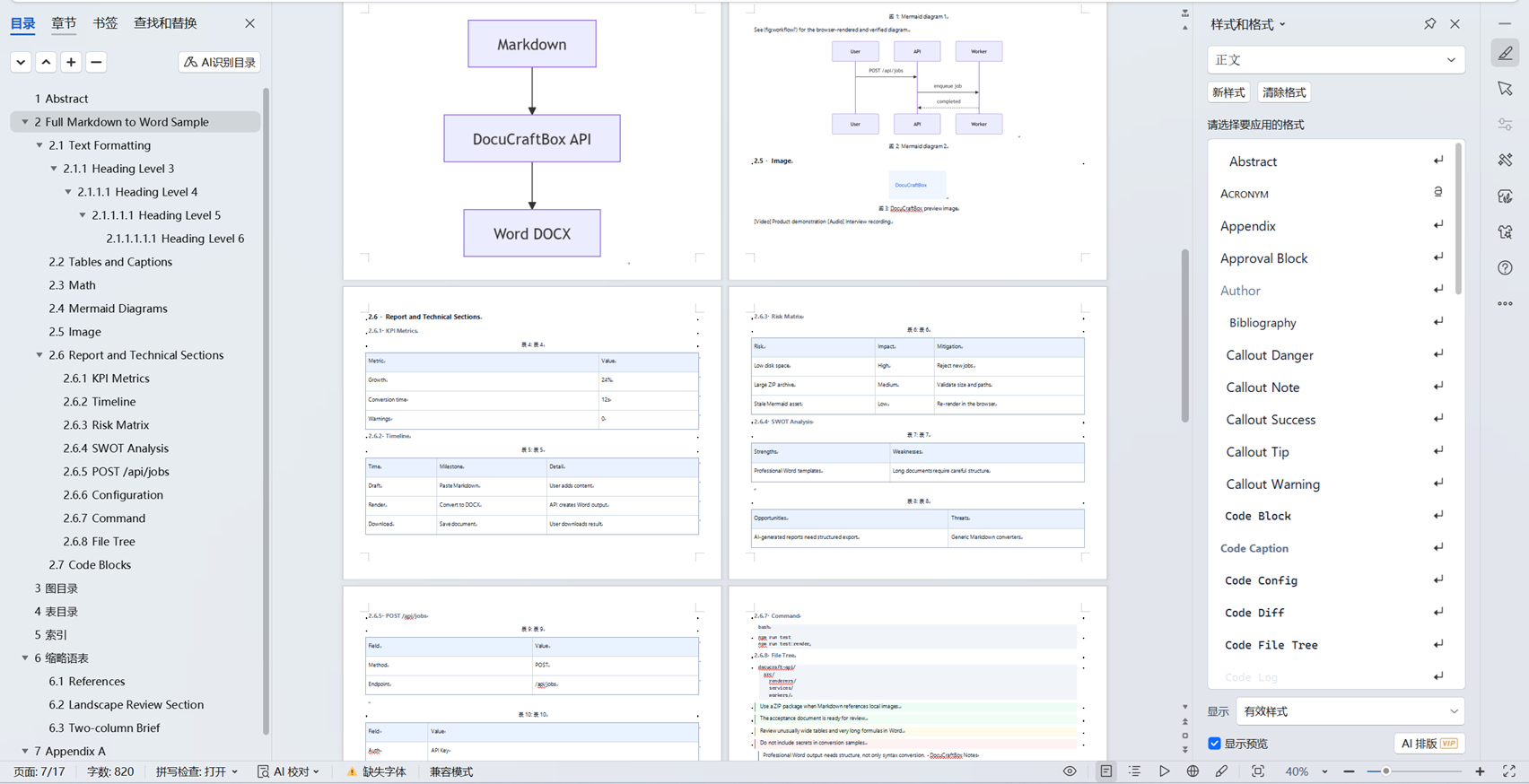
Best for notes, outlines, checklists, callouts, short reports, and mixed Chinese-English business writing.
The screenshots were inspected in WPS Office Desktop on 2026-07-18. DOCX rendering can vary with installed fonts, the recipient editor, and unusually complex content; review final delivery files in the editor used by the recipient.
Convert templates, callouts, formulas, tables, diagrams, captions, KPI sections, timelines, and technical content into editable DOCX or fixed-layout PDF.
Review capabilities