Guides and notes
DocuCraftBox Blog
Practical guides for converting Markdown and AI drafts into Word, PDF, and standalone HTML, choosing templates, and handling tables, formulas, diagrams, and citations.
07/21/2026
Word Templates
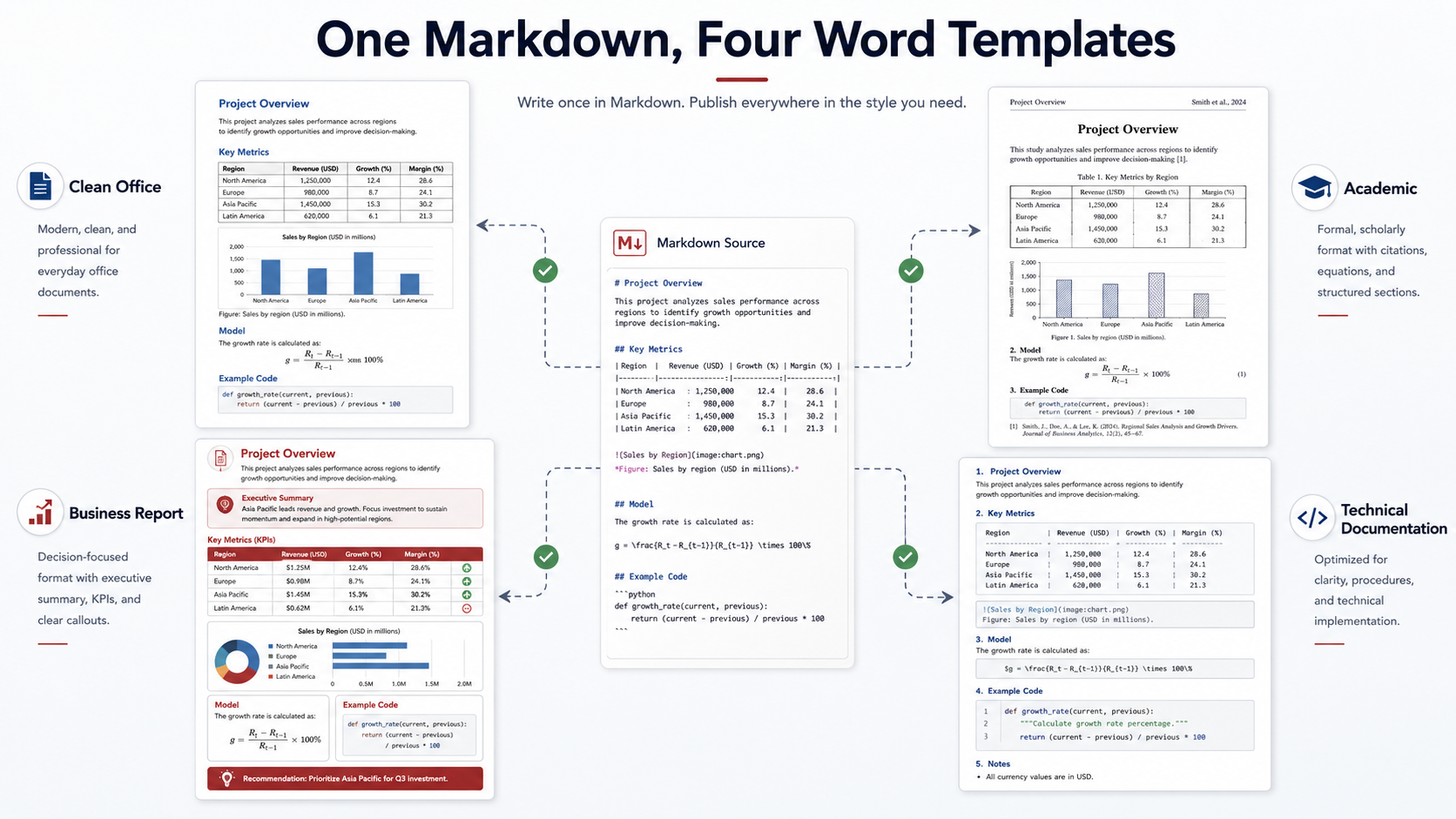
The same Markdown source can produce noticeably different Word documents depending on the selected template. Heading spacing, page breaks, table borders, code styling, captions, headers, foo...
Read guide
07/20/2026
Troubleshooting
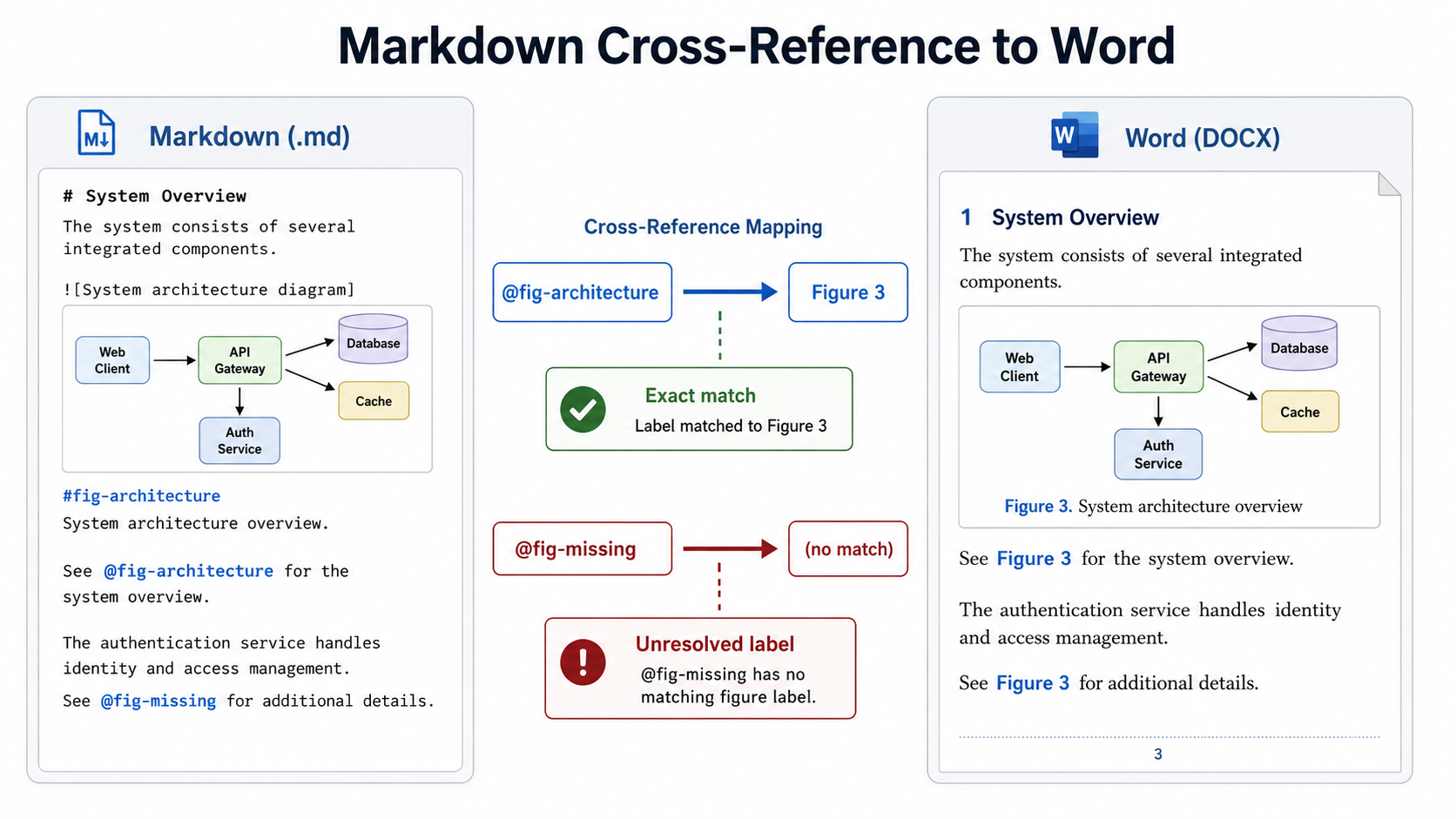
A document can contain correctly formatted headings, figures, tables, and equations while its internal references still fail. Instead of “see Figure 3” or “refer to Section 2.4,” the Word fi...
Read guide
![Markdown Footnotes Still Show [^1] in Word? Fix Numbering, Indentation, and Multi-Paragraph Notes](https://docucraftbox.com/wp-content/uploads/2026/07/01-6.png)
07/20/2026
Troubleshooting
Markdown footnotes are easy to write, but they can become confusing after conversion to Word. A reference may remain as [^1], numbering may change, repeated references may point to the wrong...
Read guide
![Markdown Citations Still Show [@key] in Word? Fix BibTeX and Bibliography Errors](https://docucraftbox.com/wp-content/uploads/2026/07/01-5.png)
07/18/2026
Tables and Formulas
A citation such as [@smith2024] is useful while writing Markdown, but it should not remain visible in a finished Word document. If citation keys appear unchanged, the conversion process prob...
Read guide
07/18/2026
Troubleshooting
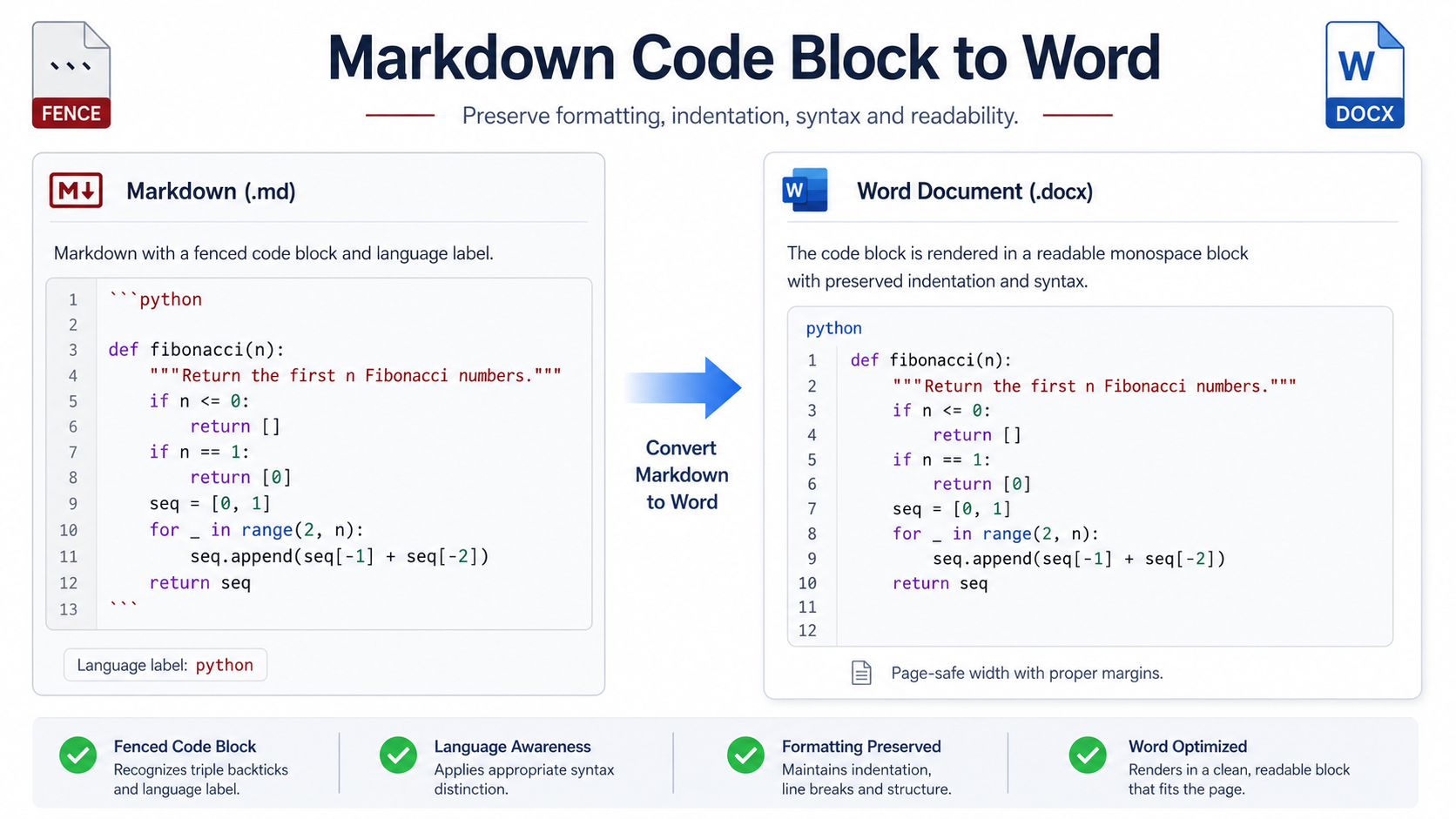
A fenced code block may look correct in a Markdown editor and still become difficult to read after conversion to Word. Indentation can shift, long commands may extend beyond the page, langua...
Read guide
07/17/2026
Tables and Formulas
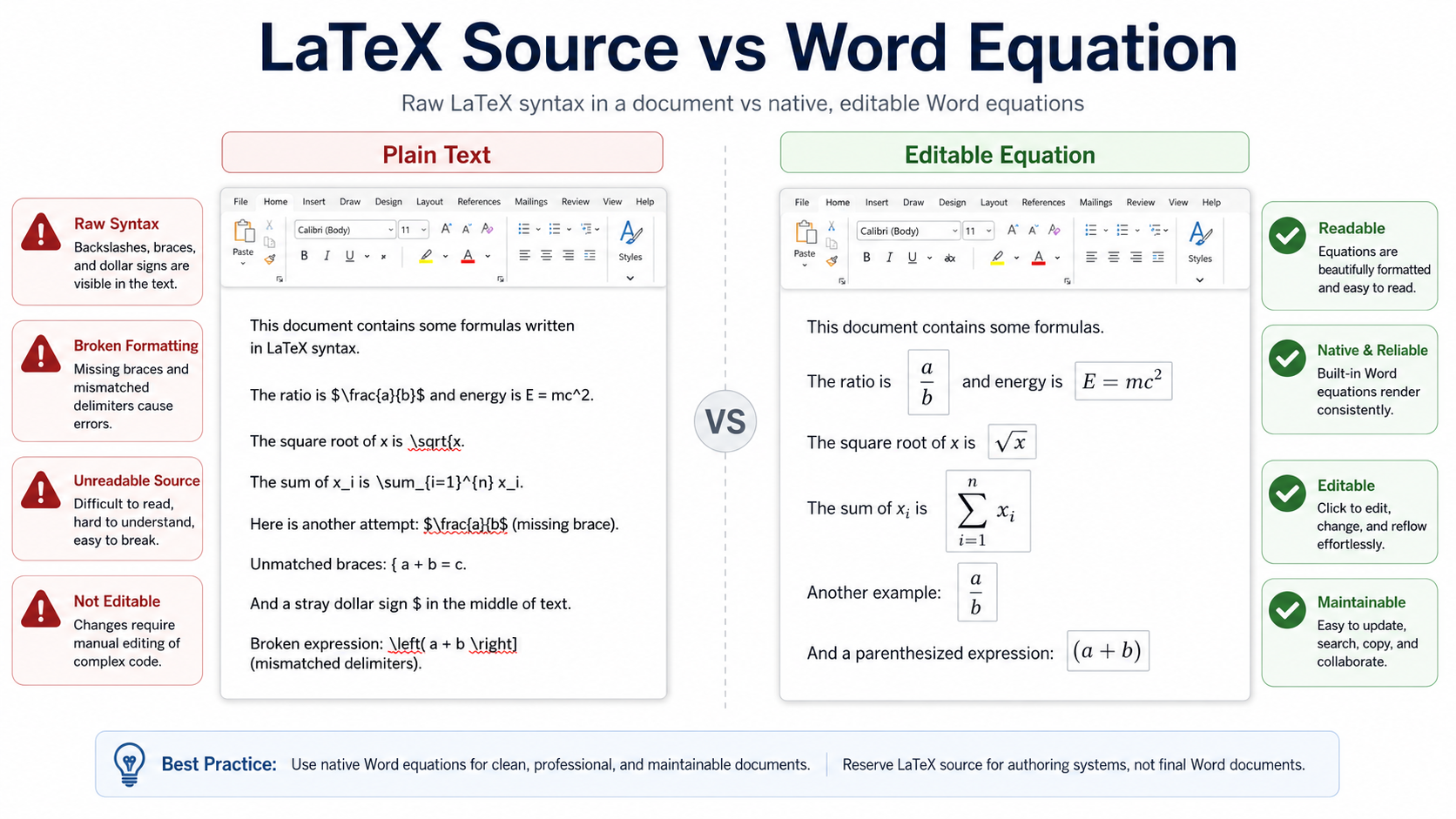
A Markdown document may contain formulas that look correct in an editor but appear as raw LaTeX text after conversion to Word. Instead of a formatted equation, the DOCX may display character...
Read guide
07/17/2026
Tables and Formulas
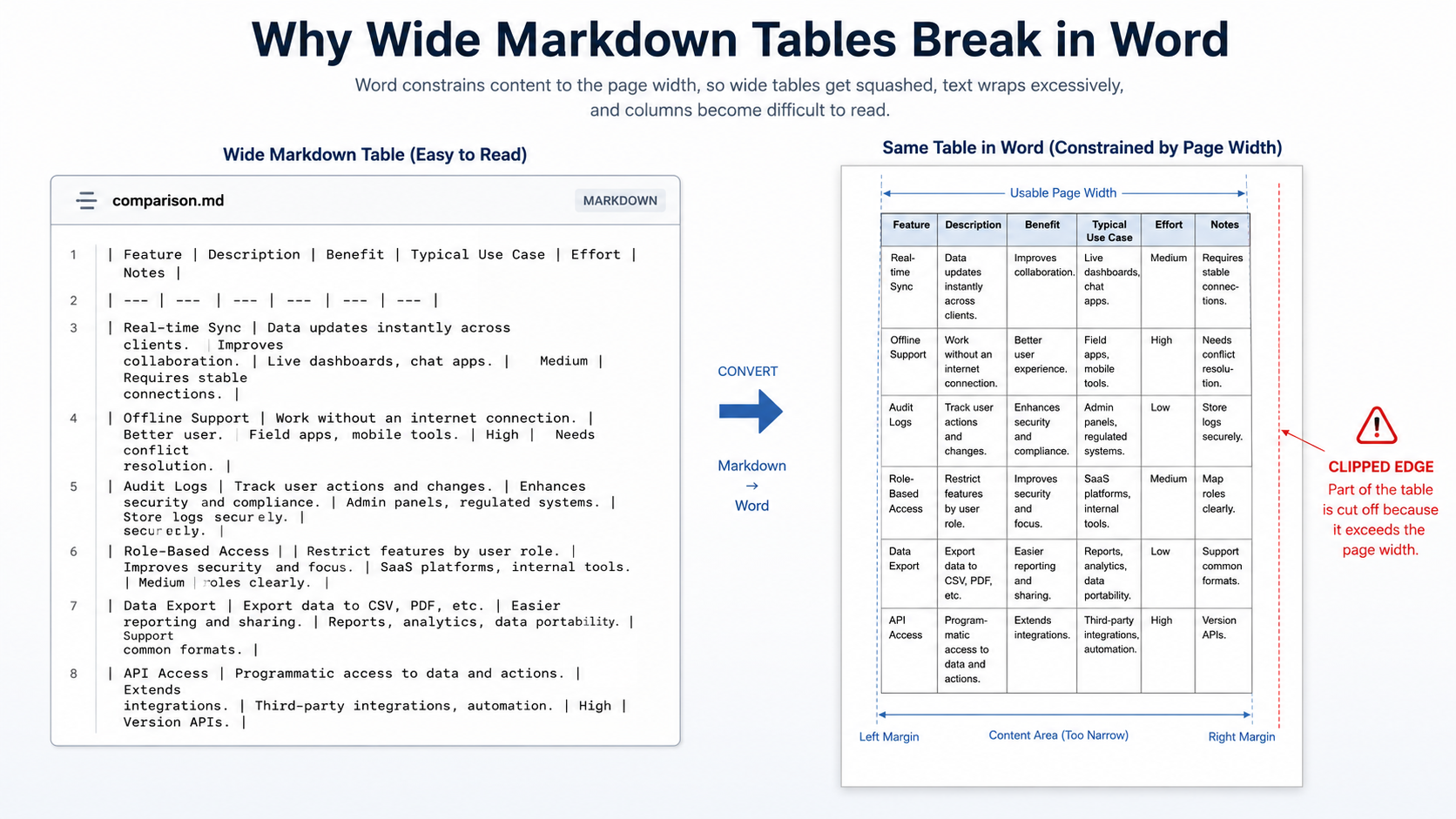
A Markdown table can look perfectly readable in a wide editor window and still become difficult to use after conversion to Word. Columns may shrink, headings may wrap into several lines, lon...
Read guide
07/16/2026
Images and Diagrams
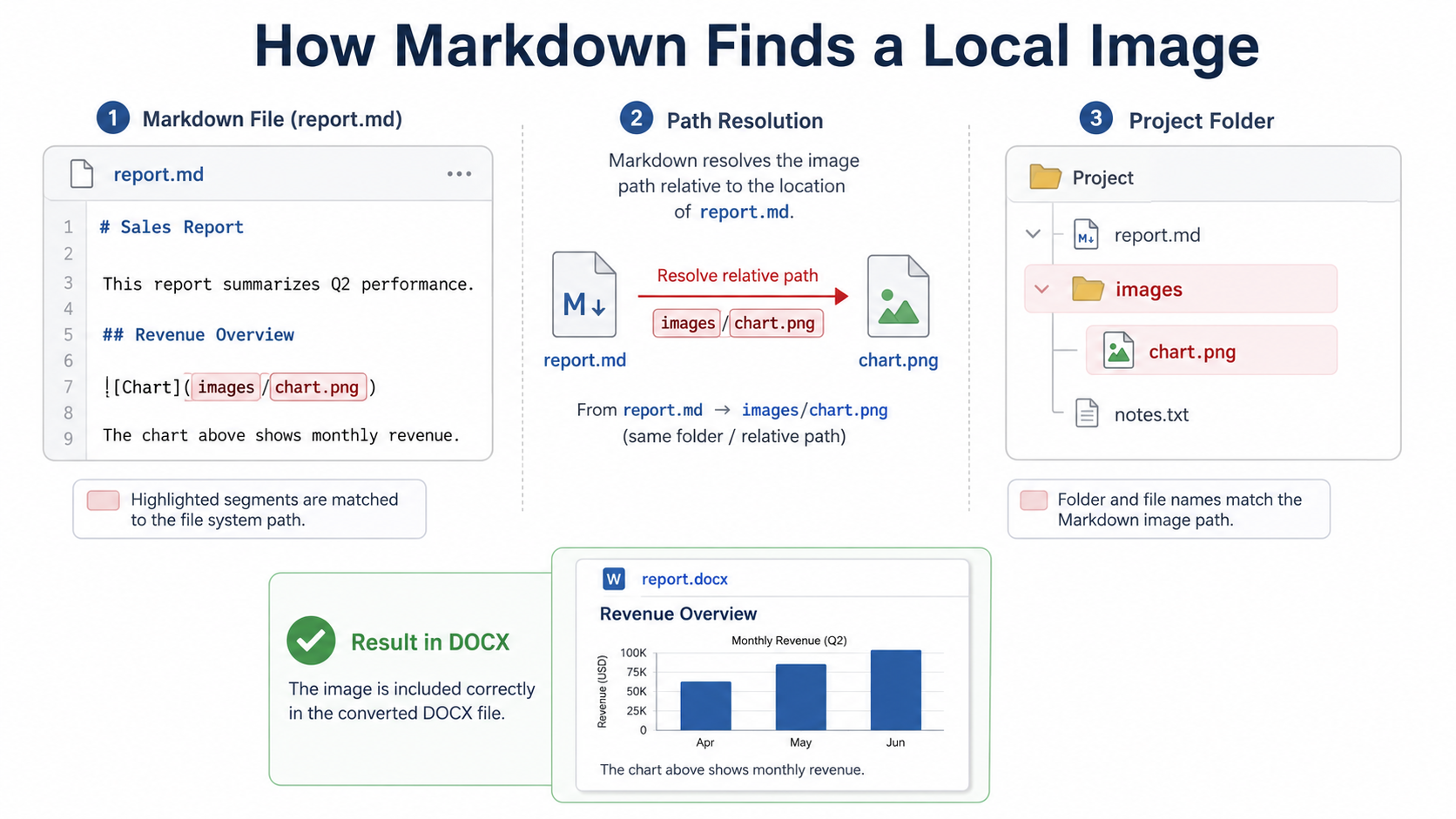
Your Markdown document looks complete in the editor, but several images disappear after it is converted to Word. The text, headings, and tables are present, while the DOCX contains blank spa...
Read guide
07/16/2026
AI Content Formatting
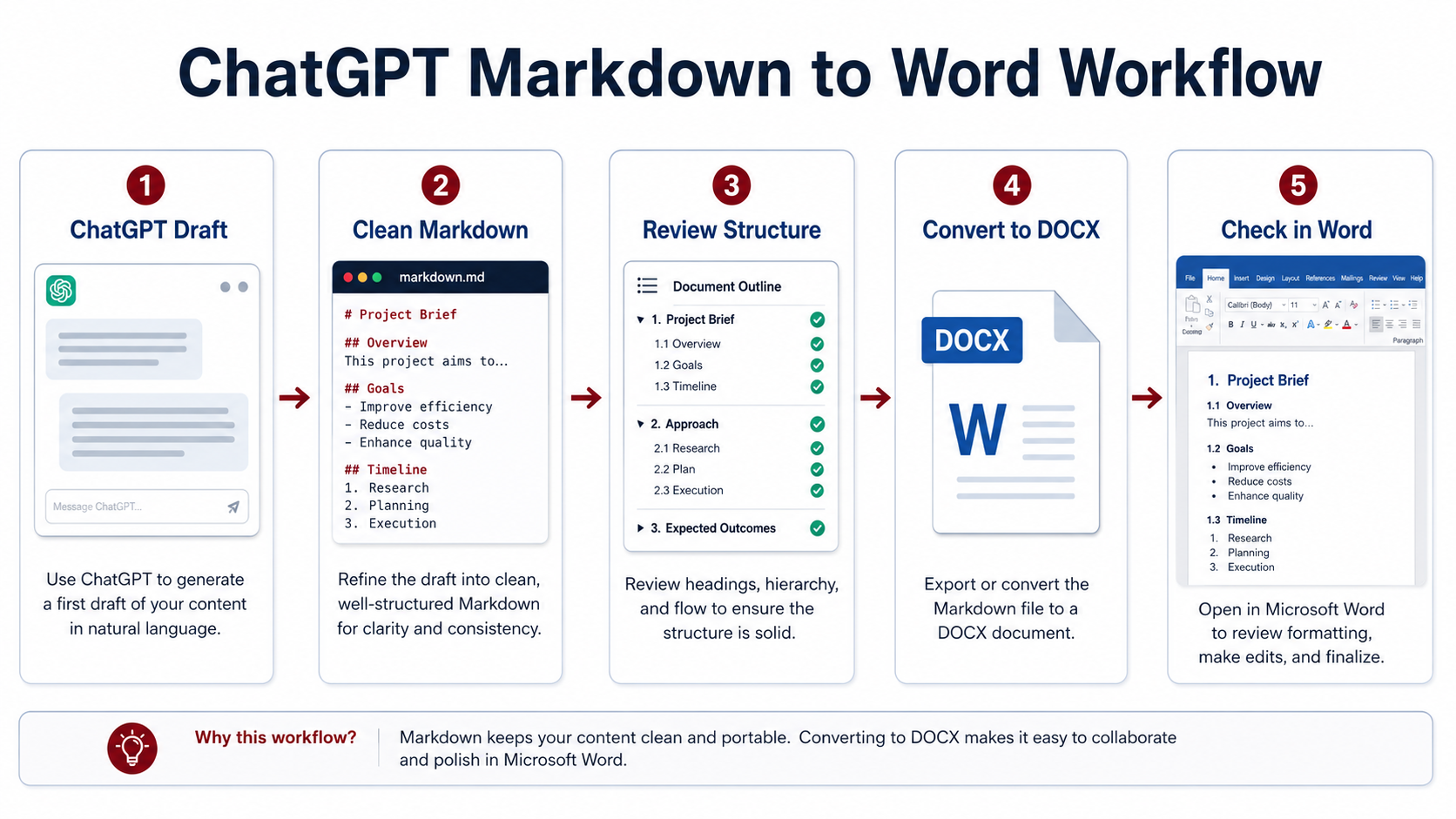
Copying a response from ChatGPT into Microsoft Word looks simple until the document contains headings, tables, formulas, code blocks, images, or a table of contents. Plain copy and paste may...
Read guide
